Podcasting has gained popularity in terms of sharing stories, ideas and conversations. The podcasters are continually seeking methods to keep the attention of their listeners. Having good topics and clear sound is important. However, one thing many forget about is mixing up their voice.
Listeners might get bored over time if every episode sounds the same. That is why many podcasters try different tones, storytelling styles, or even use different character voices. Instead of just editing after recording, new AI tools now let creators change their voice live or while recording.
One great tool for this is iTop Voicy. It lets podcasters change their voice, try new styles, and make their audio more lively without any complicated steps. Here we will show how iTop Voicy can make your podcast better.
What Is iTop Voicy?
iTop Voicy is a voice-changing program made for Windows computers. It uses AI technology to change how your voice sounds while you are speaking or when you are editing audio.
Rather than recording your voice in a single format you can change the voice styles instantly or when you are listening to your recording. This works well with the podcasters who do not want to spend much time editing.
You can use iTop Voicy for
- Recording podcasts
- Doing voice-overs
- Telling stories
- Editing audio
- Live streaming
The program is easy to use, even if you are new to making podcasts or audio content. iTop Voicy helps you to change your voice quickly and easily to make your recordings more fun and interesting.
Why Voice Variety Matters in Podcasts?
Most of the podcasts lose subscribers not due to bad content but the manner of delivery to the listeners seems to be dull or monotonous. How people like to listen to you or hear a story is greatly influenced by your voice.
Here is why mixing up your voice can really help
Keeps Listeners Interested
One can get tired of talking in one tone all the time. Voice switches every now and then make your podcasts more thrilling and keep the people listening.
Helps Tell Stories Better
If you share stories or interviews, using different voices can help separate characters or highlight important parts. This will be making it easier to your listeners to follow.
Adds Your Personal Touch
Your voice is part of who you are as a creator. Changing it a little for different parts makes your podcast feel special and unique.
Makes Editing Simpler
You do not have to spend so much time fixing things later by using the right voice while recording.
Key Features of iTop Voicy That Help Make Podcasting Easier
Let us take a look at how the features of this software can improve your podcast creation process.
Change Your Voice While Recording
The best thing is that you can alter your voice as you speak with the microphone. The software changes your voice in real time-time thus allowing you to record with that voice style you desired without the need to edit it afterwards.
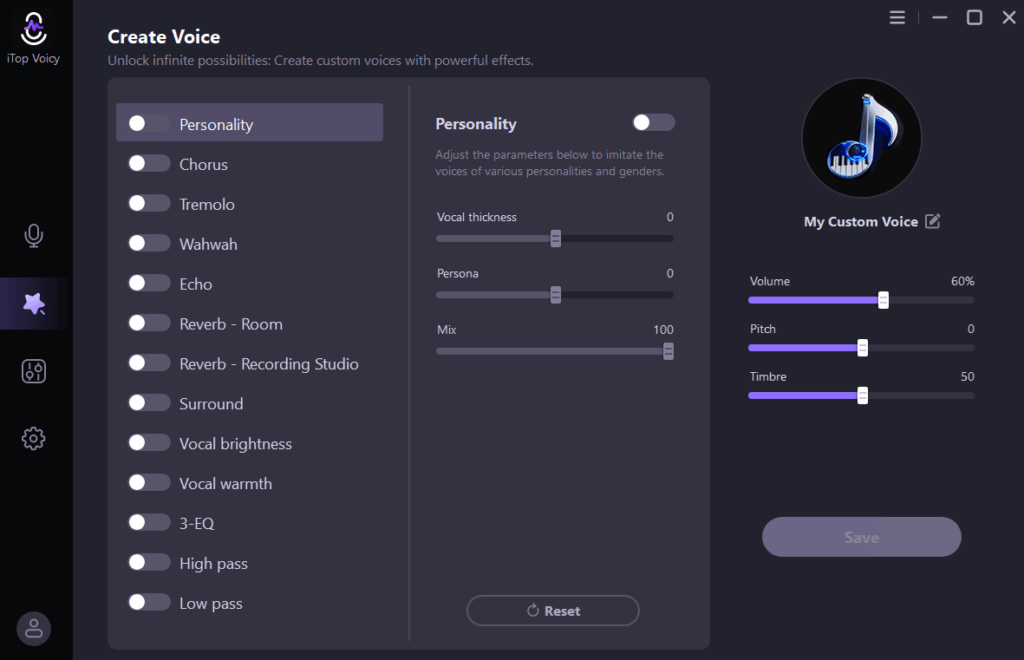
You can adjust things like pitch, tone, voice depth, and style. This makes recording faster and gives you more options.
Lots of Voice Styles for Different Parts
The software comes with many voice styles you can use while recording or editing. For example
- Use a deep voice for narration
- A softer voice for storytelling
- A fun or playful voice for light moments
You can easily switch between voices depending on what your podcast needs.
Change Voices on Already Recorded Audio
If you have already recorded your podcast, you can still change the voice afterward. Just import your audio file and pick a new voice style. This is perfect in case you want to experiment with the tone of a section. This can also be used to develop voices of other characters and test out new versions.
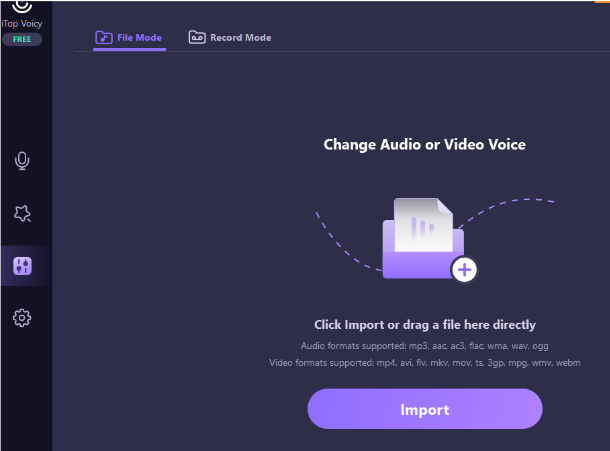
It is easy to perform, and it does not require any advanced editing abilities.
Record Directly in the Program
You do not have to use another program to record because this software has a built-in recorder. It also reduces background noise to make your audio clearer.
This is perfect for solo podcast episodes, voice-over work, and even practice sessions.
Create Your Own Unique Voice
You can also create your own voice if you want something different from the preset voices. Adjust the pitch and tone to design a voice that fits your podcast style. You can save your custom voice and use it again whenever you want.
This is great for podcasters who want a unique and consistent sound.
Works Well With Multiple Other Tools
You can use this software alongside your favorite podcast tools. For example
- Record in iTop Voicy
- Export the audio file
- Edit it further in your preferred audio editing software
This makes it easy to fit into your usual workflow.
How to Use iTop Voicy to Make Your Podcasts More Engaging?
Here is a simple guide to help you get started with iTop Voicy for your podcast. iTop Voicy makes it easy to record, change, and share your podcast with a fresh and interesting voice.
Download and Install
Go to the official iTop Voicy website and download the program. Run the installer file you downloaded. Follow the instructions on your screen to complete the setup. Open the program once it is installed.
Set Up Your Microphone
Go to the audio settings after opening the program. Choose your microphone from the list. Speak to test if it is working. You should see the sound meter to ensure its connectivity.
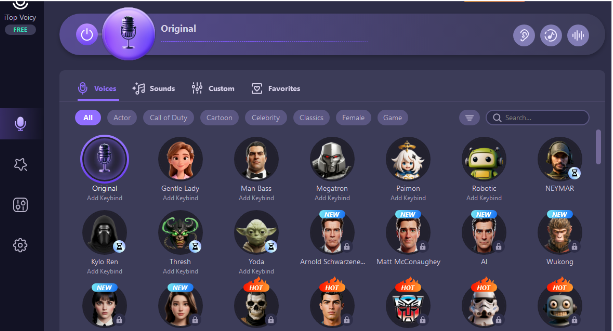
Pick a Voice Style
Browse the voice library and listen to different styles. Pick the one that fits your podcast best. The effect will start working right away once you select a voice.
Record Your Podcast
Open the recording tool inside the program. Start talking, and your voice will be recorded with the chosen voice style.
You can pause, stop, or record multiple clips as needed.
Edit or Change Voice (Optional)
If you want to change parts of your recording later, just import the audio file. Choose a different voice style and apply it. This helps you to improve your podcast without re-recording everything.
Export Your Final Audio
Export the file when you are happy with your recording. Use this file to upload or share your podcast on your favorite platform.
Final Thoughts
Podcasting is not just about the words you say. It is also about how you say them. A small change in tone or style can make a big difference in how your listeners enjoy your podcast.
iTop Voicy helps creators to try different voice styles and even create their own unique voices. These features make it simpler to create podcasts that sound more interesting and keep listeners engaged.